
Free website chat bots come in three kinds: a free plan on a chat bot platform, a chat built into your website builder, and open-source software. Some free plans cap the number of conversations each month (for example, 50 with Tidio and 100 with Botpress as of October 2026), and most display the platform's branding. With free live chat, on the other hand, you are the one answering. Tools like these are enough for a small website with ten or so recurring questions. They start losing you customers once they need to take bookings or orders, reply in the evenings and at weekends, or hand the conversation over to a member of staff.
It makes sense to start for free while you do not yet know whether your customers will use chat at all. Free still has a cost, though: hours of setup, and customers who wrote on a Sunday evening and never got a reply.
Our article website chat bot: types, prices and how to choosegives the general overview of types and prices. Here we look only at the free option and at when it stops being enough.
What free chat bots are available
When you search for ‘free chat bot’, you will come across three different things. Free platform plans and built-in chat require no programming.
Free plans on chat bot platforms
A free plan is meant for trying the product out and has no end date. A free trial is different: it gives you the paid plan for a few days or weeks, after which you have to pay. The limits of a free plan are tight, however:
| Tool | What is free (October 2026) | Limitation |
|---|---|---|
| Tidio | 50 conversations a month answered by a member of staff | The Lyro AI agent gets 50 free conversations in total, and they do not renew |
| Botpress | 100 conversations a month | You cannot buy more; web chat with your own branding is only on the paid plan |
| tawk.to | A chat in which you do the answering | AI assistant from $29 a month (free at low conversation volumes); removing the ‘Powered by tawk.to’ label costs another $29 a month |
| Wix Smart Chat | The AI credits in the site's plan, including the free plan | Goes into offline mode when the credits run out |
Open-source software
You install open-source tools on your own server. The licence costs nothing, and you decide where the data is stored. If the bot uses a large language model, you pay for the model according to usage. If you run the model on your own server instead, it needs powerful hardware.
Built-in chat in website builders and live chat services
Many website builders have a built-in chat, and live chat services such as tawk.to can be added to almost any website. Many platforms offer a free WordPress plugin, but the plugin only places the chat window on your site: the limits and the branding depend on the platform's plan. Since March 2026, Wix Smart Chat has replaced the old AI Site Chat on new sites, and it uses the AI credits from the site's plan. When they run out, the chat goes into offline mode until the credits renew or you move to a bigger plan.
Messaging apps have different rules. New Viber bots usually come with a monthly fee, and replies within 24 hours in a conversation the customer started are included in it. On WhatsApp, since 1 October 2026, such replies are free only up to 1,000 messages a month per business number; beyond that, each message is charged. Automatic greetings and away messages in WhatsApp Business, Messenger and Instagram (the last two via Meta Business Suite) are also free, but they are fixed text, not an AI conversation. Since June 2026, Meta has also offered an AI agent called Meta Business Agent: activating it is free, but higher volumes of replies are paid for. We cover the rules and fees in our article Viber and WhatsApp chat bots for business.
If you want to answer website visitors yourself, free live chat is enough. For ten or so recurring questions, try the free plan of an AI platform. Open-source software suits companies that have a developer and want to keep their data in-house.
How to launch a free chat bot without programming
1. Write down the questions. Collect the 10–15 most common questions and their answers in your own document. It stays yours if you change tools.
2. Read the plan's terms. Check the quota, the branding and where the conversations are stored.
3. Add the chat. Upload the answers and put the ready-made code or plugin on your website. We explain where the chat window should go in how to place the chat bot on your website.
4. Test it. Ask questions the way your customers write them, and include one that your materials do not answer.
5. Decide where unanswered enquiries go. Email, phone or a form all work, as long as the customer knows when you will get back to them.
6. Read the conversations. Once a week, use them to fill gaps in the answers.
The limitations of a free chat bot
Someone else's branding in the window. The platform's label sits right where your customer is typing. That does not matter for a personal blog, but it does for a hotel or a clinic, where trust is part of the service.
Stilted, translated Bulgarian. There is no guarantee that the bot will write good Bulgarian. It may understand the question and still reply in clumsy sentences that read like a translation. Test the bot with questions typed in Latin letters and with spelling mistakes, such as “ima li parking” or “имали паркинг” (‘is there parking’), because that is how your customers write.
The bot only answers. To check available dates or create a booking in your system, the bot needs an integration that someone has to build and maintain. With a free tool, that someone is you. Our article what an AI agent is and how it differs from a chat bot explains the difference between a bot that answers and an agent that acts.
Where the data goes. People leave names and phone numbers in the chat. If the provider processes this data on your behalf, GDPR requires a contract with that provider even on a free plan (Article 28 of the Regulation).
Your time. Someone has to write the knowledge base, update it every time prices change and read the conversations. If that someone is you, you pay for the free AI chat bot with your time, and your time costs money too.
When a free chat bot is enough
For some businesses, a free plan is all they need. The website is small and the same ten or so questions keep coming up: opening hours, address, parking, payment methods. Enquiries are few, they do not pile up in the evenings and they do not end in a booking or an order. And someone reads the conversations once a week.
Take a small accountancy practice whose visitors mostly want its opening hours and the list of documents for the annual tax return. A free tool will serve it well. The same goes for a photographer with a portfolio site, or a tradesperson who takes orders by phone.
7 signs that your free chat bot is losing you customers
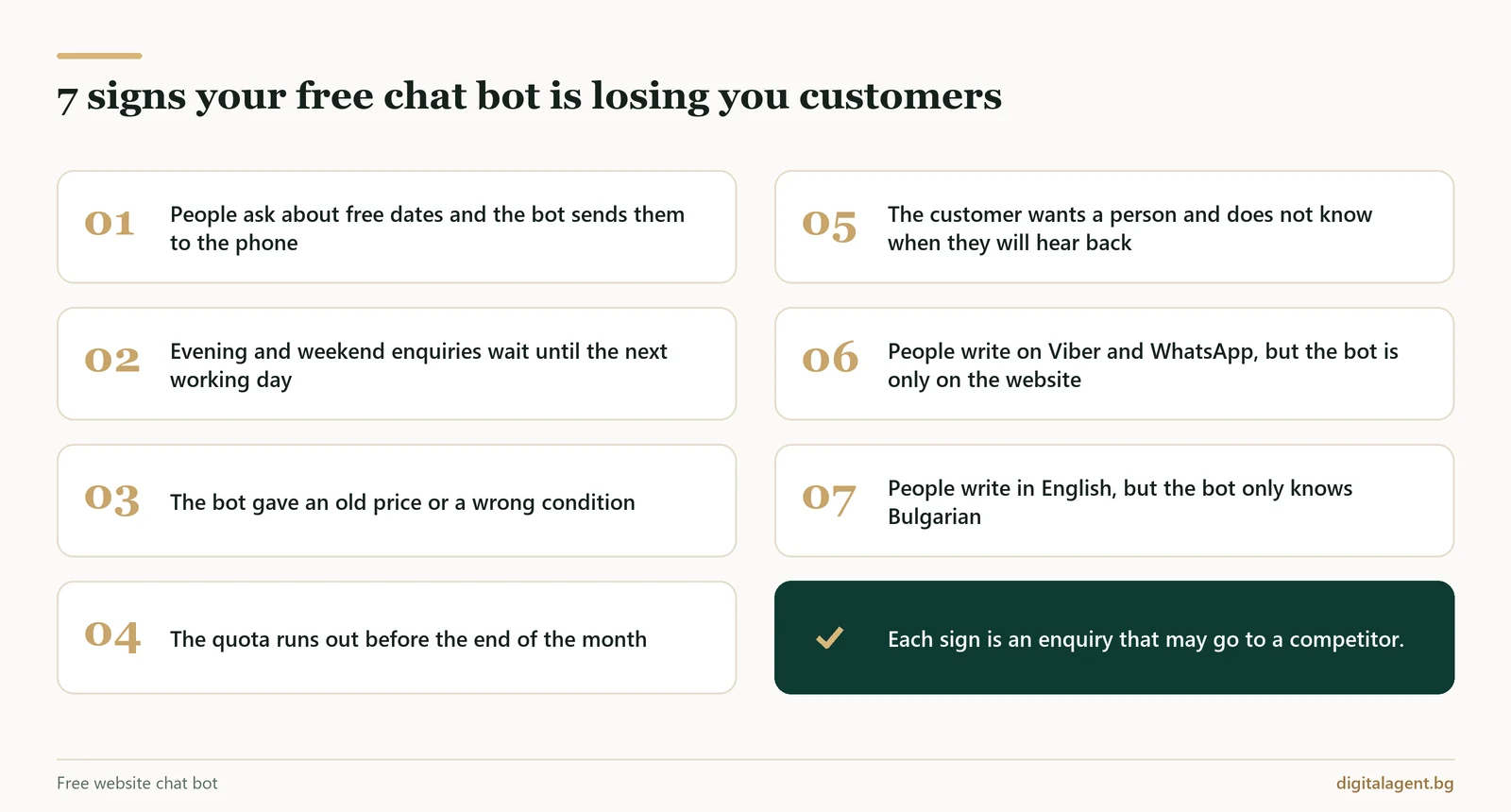
The loss rarely shows up in a report: the customer simply closes the window and writes to a competitor. These signs tell you that you have outgrown the free option:
- customers ask about available dates or stock, and the bot sends them to the phone;
- a large share of enquiries arrives in the evenings and at weekends, and you only reply on the next working day;
- the bot has quoted an old price or a wrong condition because no one updated the knowledge base;
- the quota runs out before the end of the month and the chat goes into offline mode;
- a customer wants to speak to a member of staff and does not know when someone will contact them;
- people message you on Viber or WhatsApp, but the bot only works on the website;
- people write to you in English, but the bot is set up only for Bulgarian.
A wrong price does the most damage. The customer arrives expecting something you cannot deliver, and they blame you, not the tool.
Another loss is easy to miss: the customer has no way of reaching a person. The bot does not need to handle everything on its own, but it does need to know when to stop and who to hand the conversation to. Our article AI agent or human looks at which conversations to leave to AI and which to a member of staff.
The hidden costs of a free chat bot
Add-ons. AI replies and branding removal are often charged separately, and connecting to other systems is extra work. As of October 2026, Tidio's first paid plan starts at $24.17 a month and Botpress's at $150 a month billed annually, and AI replies are not always included.
Missed enquiries. One missed enquiry about a group booking or a large order can cost more than several months of a subscription. A free tool never shows you that enquiry.
Here is how the two options compare:
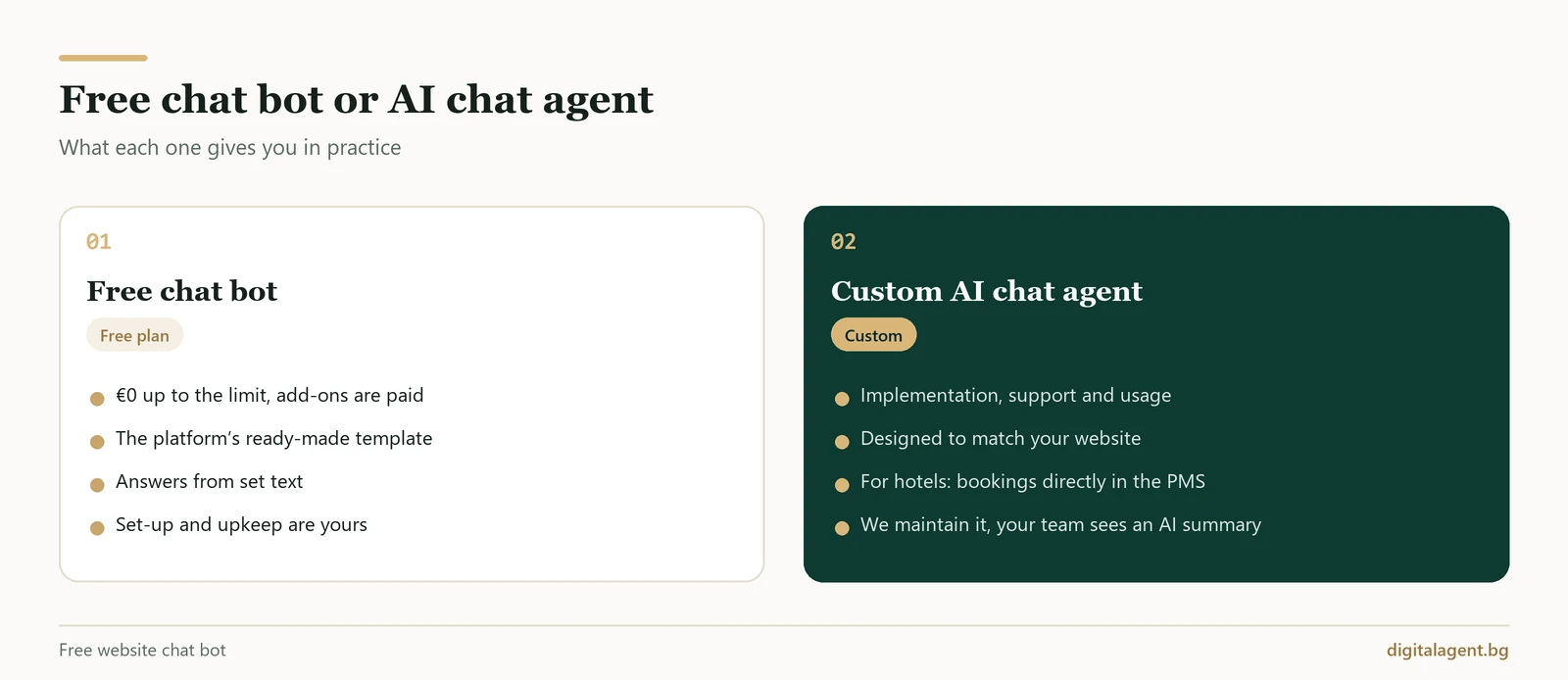
| Criterion | Free chat bot | Custom AI chat agent |
|---|---|---|
| Price | €0 up to the limit; add-ons cost extra | Implementation, monthly support and usage, depending on volume |
| Look of the chat | The platform's ready-made template | Designed to match your website |
| Actions | Answers from set text; connecting it to your systems is up to you | For hotels, checks room availability and creates bookings directly in the hotel system; other integrations are agreed during implementation |
| Handover to staff | Depends on the tool: live chat, a form or email | The conversation is flagged for a member of staff, and your team sees the full conversation plus an AI summary |
| Support | You | Us, within the agreed scope of monthly support |
| Reports | Depends on the plan | A dashboard showing the topic and outcome of every conversation, plus the cases where information was missing |
How to move to a paid option without starting from scratch
Time spent on a free bot is not wasted. Its conversations show your customers' real questions, in their own words. Before you switch, export the conversations if the tool allows it. Then count how many enquiries arrive outside working hours and wait until the next working day for a reply. Those numbers are the clearest guide to whether a paid option will pay for itself.
Next, decide what the bot needs to do. If it only has to answer questions, a bigger plan on the same tool may be enough. If it has to check availability and take bookings, you need an AI agent connected to your systems. Our guide to choosing a website chat bot lists what to check when you choose a paid option.
We build agents like these, and we go through the options for connecting to your systems in the consultation. Implementing an AI chat agent on your website costs from €1,000 excluding VAT, and support starts at €120 a month per agent. Usage is charged separately, depending on volume. For that price you get:
- the agent answers only from information you have approved, and when it does not know the answer, it says so and passes the enquiry to your team;
- monthly support includes updating that information, and we agree the exact scope during implementation;
- for hotels, the agent creates the booking directly in Clock PMS, Oracle, Cloudbeds or Mews and sends the guest a confirmation by email, WhatsApp or Viber.
Our AI chat agent for hotelspage shows what the agent does for a hotel, and we compare prices by type of chat bot in the section How much a website chat bot costs.
Frequently Asked Questions
Is there really such a thing as a free website chat bot?
Can I make a chat bot without programming?
Can I get a free chat bot without the platform's branding?
What happens when the free quota runs out?
Is a free chat bot GDPR compliant?
Can I connect a free AI assistant directly to my website?
If a free bot is no longer enough, or you are not sure whether you need a paid one, book a free consultation. We will look at what your customers ask and tell you which option suits your business.
Digital Agent (AI AVTOMATIZATSII OOD) is a specialist agency for AI automation, AI agents and integrations. We build practical, durable solutions for hotels, restaurants, online shops and B2B companies in Bulgaria, Greece and Romania.